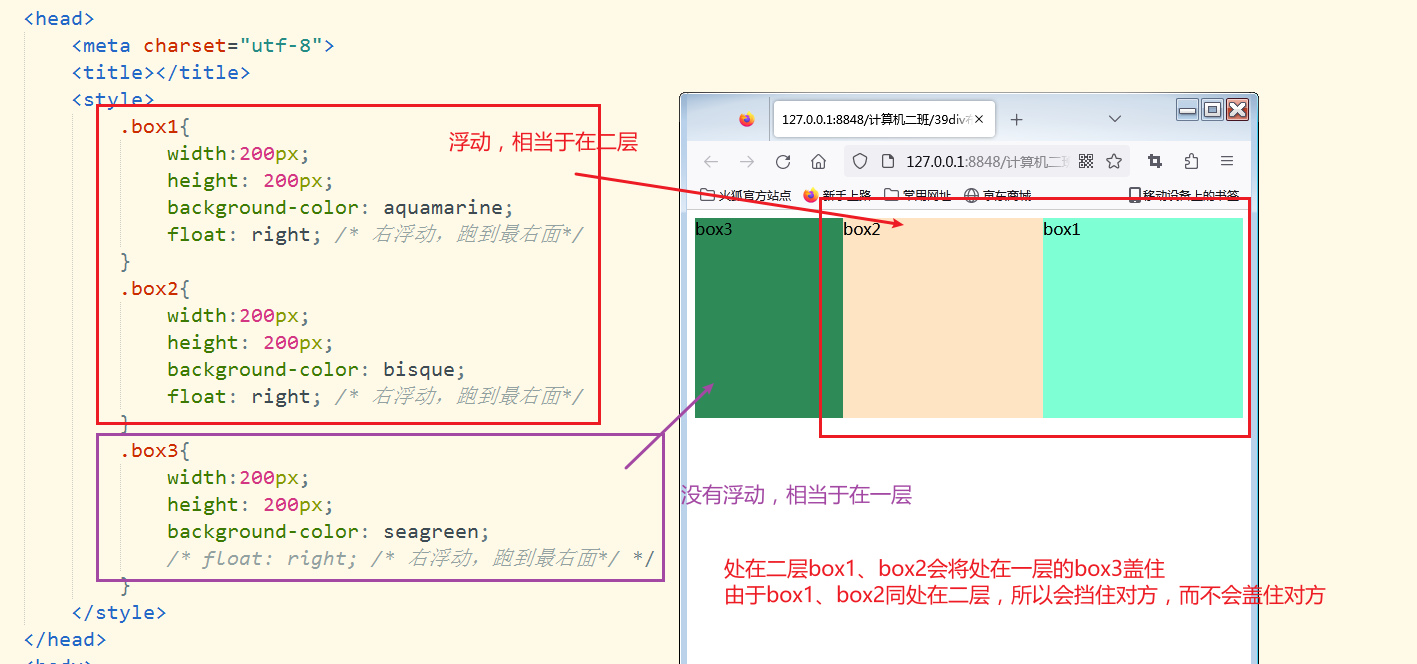
浮动
<!DOCTYPE html>
<html>
    <head>
        <meta charset="utf-8">
        <title></title>
        <style>
            .box1{
                width:200px;
                height: 200px;
                background-color: aquamarine;
                float: right; /* 右浮动,跑到最右面*/
            }
            .box2{
                width:200px;
                height: 200px;
                background-color: bisque;
                float: right; /* 右浮动,跑到最右面*/
            }
            .box3{
                width:200px;
                height: 200px;
                background-color: seagreen;
                /* float: right; /* 右浮动,跑到最右面*/ */
            }
        </style>
    </head>
    <body>
        <div class="box1">box1</div>
        <div class="box2">box2</div>
        <div class="box3">box3</div>
    </body>
</html>
例子
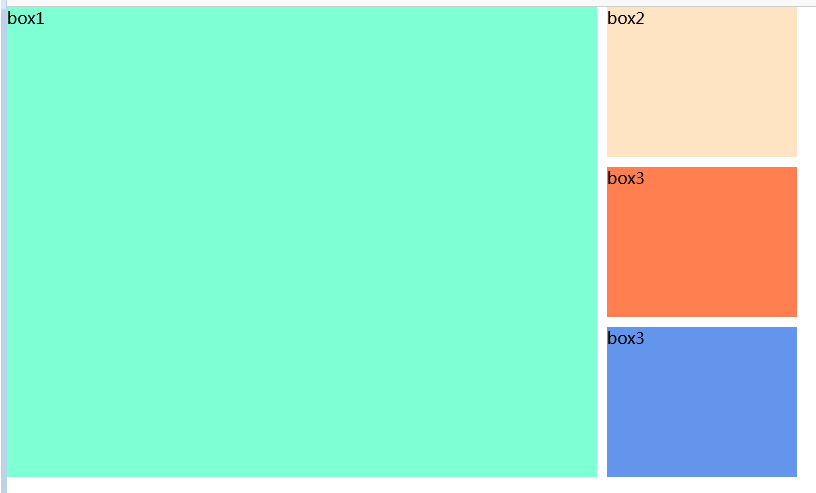
<!DOCTYPE html>
<html>
    <head>
        <meta charset="utf-8">
        <title></title>
        <style>
            *{
                margin: 0;
                padding: 0;
            }
            .bbox{
                width: 590px;
                height: 470px;
                background-color: aquamarine;
                float: left;
            }
            .mbox1{
                width: 190px;
                height: 150px;
                background-color: bisque;
                margin: 0 0 10px 0;
            }
            .mbox2{
                width: 190px;
                height: 150px;
                background-color: coral;
                margin: 0 0 10px 0;
            }
            .mbox3{
                width: 190px;
                height: 150px;
                background-color: cornflowerblue;
            }
            .rbox{
                width: 190px;
                height: 470px;
                float: left;
                margin-left: 10px;
            }
        </style>
    </head>
    <body>
        <div class="bbox">box1</div>
        <div class="rbox">
            <div class="mbox1">box2</div>
            <div class="mbox2">box3</div>
            <div class="mbox3">box3</div>
        </div>
    </body>
</html>
原文出处:/show_1IX5L4iybSji.html